
Less clicking, more learning.
The open-source MCP server that bridges KLAS (Kwangwoon University's LMS) and your favorite AI assistant. Stop copy-pasting deadlines into ChatGPT. Just ask.
Works with Claude, ChatGPT (MCP), Cursor, and any MCP-compatible AI.
What it does
Six things your AI can do on your behalf.
Scroll through. Every screenshot is a real Claude conversation backed by OpenKLAS.
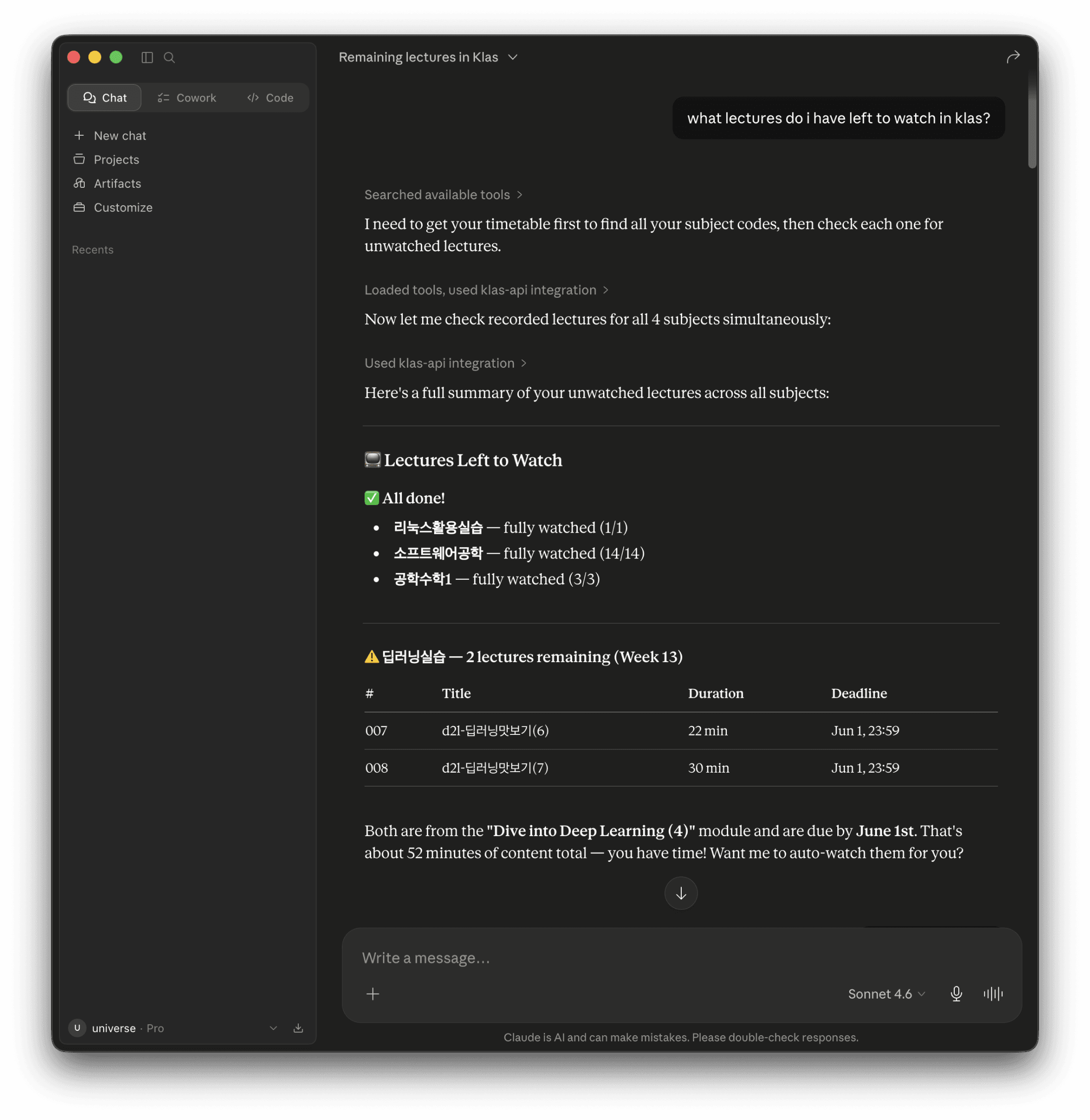
Lectures left to watch
One question. Every course. Aggregate progress.
Claude scans every recorded-lecture board for you and reports back exactly which weeks remain in which subjects, with durations and deadlines included.
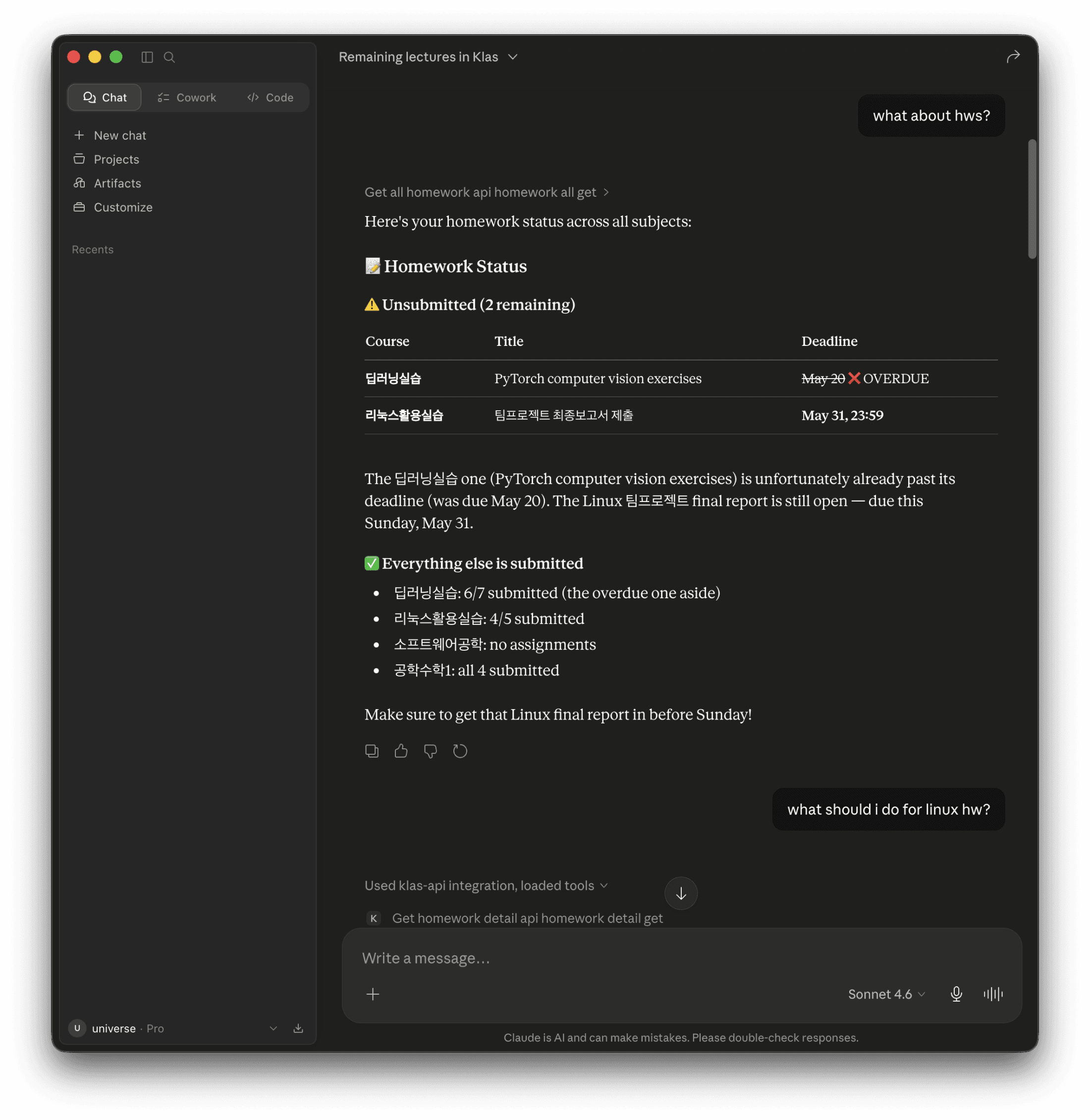
Homework triage
Every deadline, ranked by what actually matters.
Ask once. Get pending, overdue, and submitted assignments across every subject in a single response, sorted by deadline, with overdue items flagged.
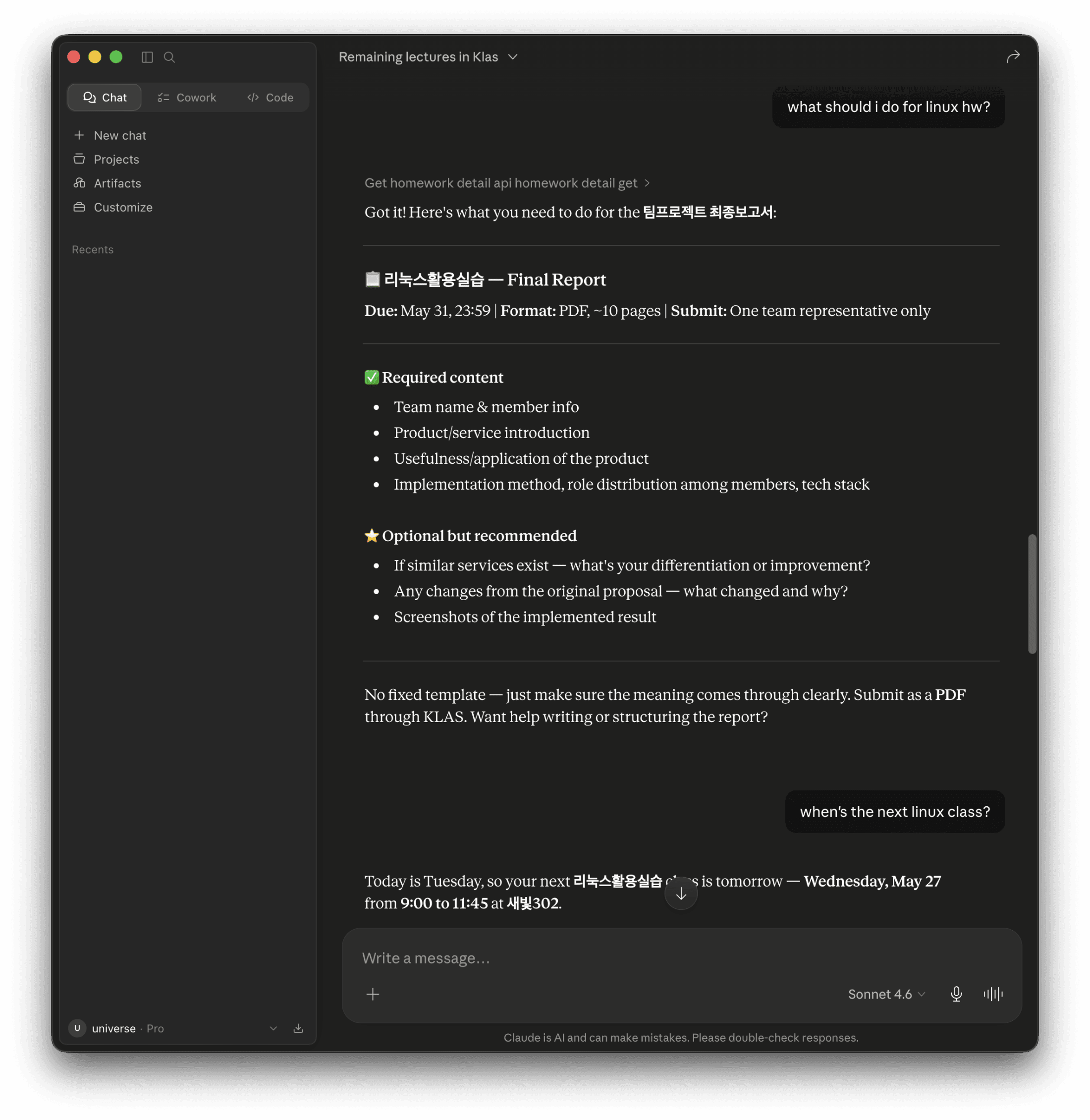
Assignment drill-down
Format, deadline, content checklist, all in one prompt.
Stop opening four KLAS tabs to figure out what an assignment wants. Claude pulls the full task detail and surfaces it as a clean checklist.
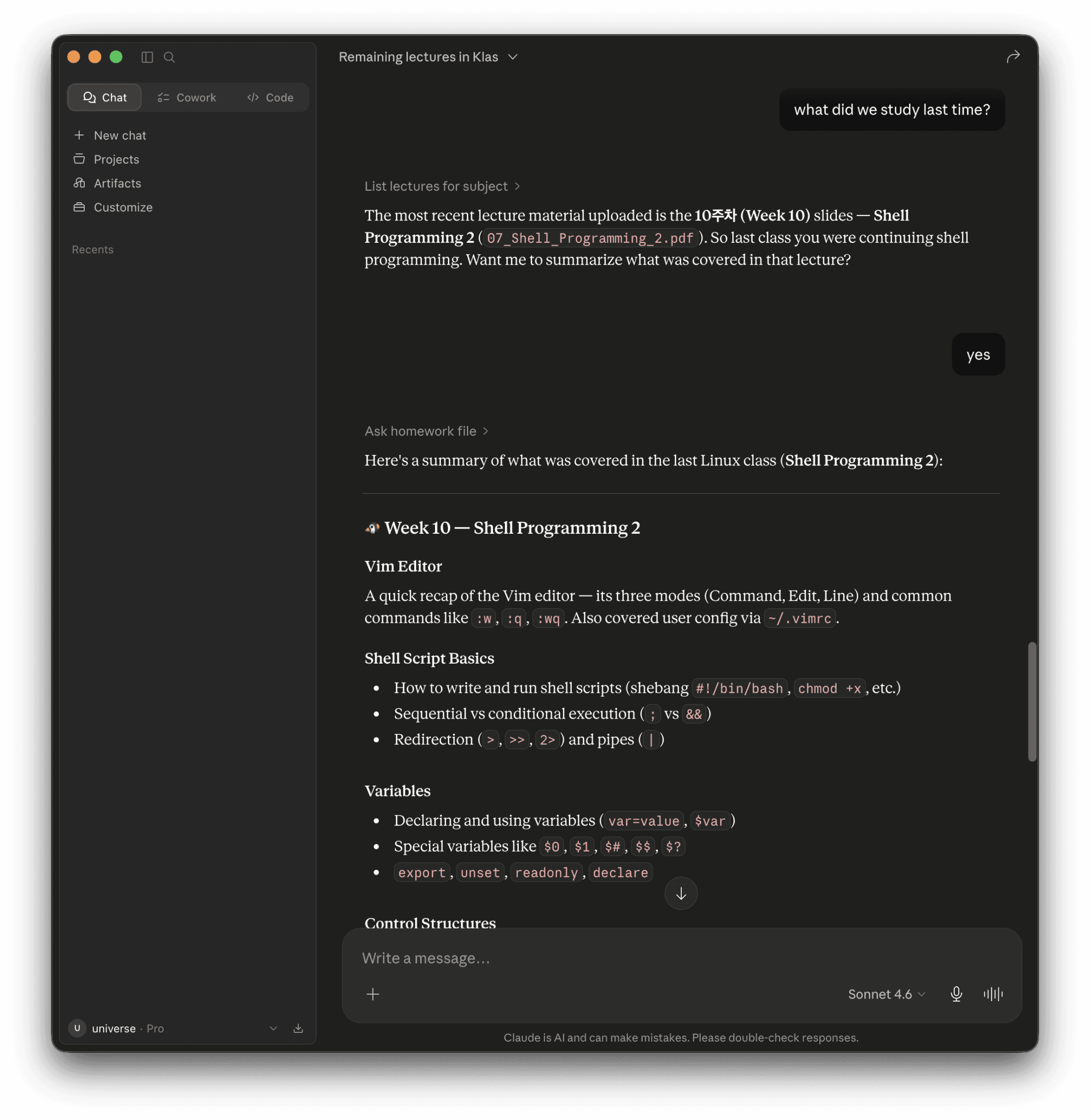
PDF Q&A (RAG)
Talk to your lecture PDFs like they're a tutor.
Upload your slides once. Ask anything later. Voyage AI embeddings + pgvector + Ollama keep the answers grounded, per-user, isolated by design.
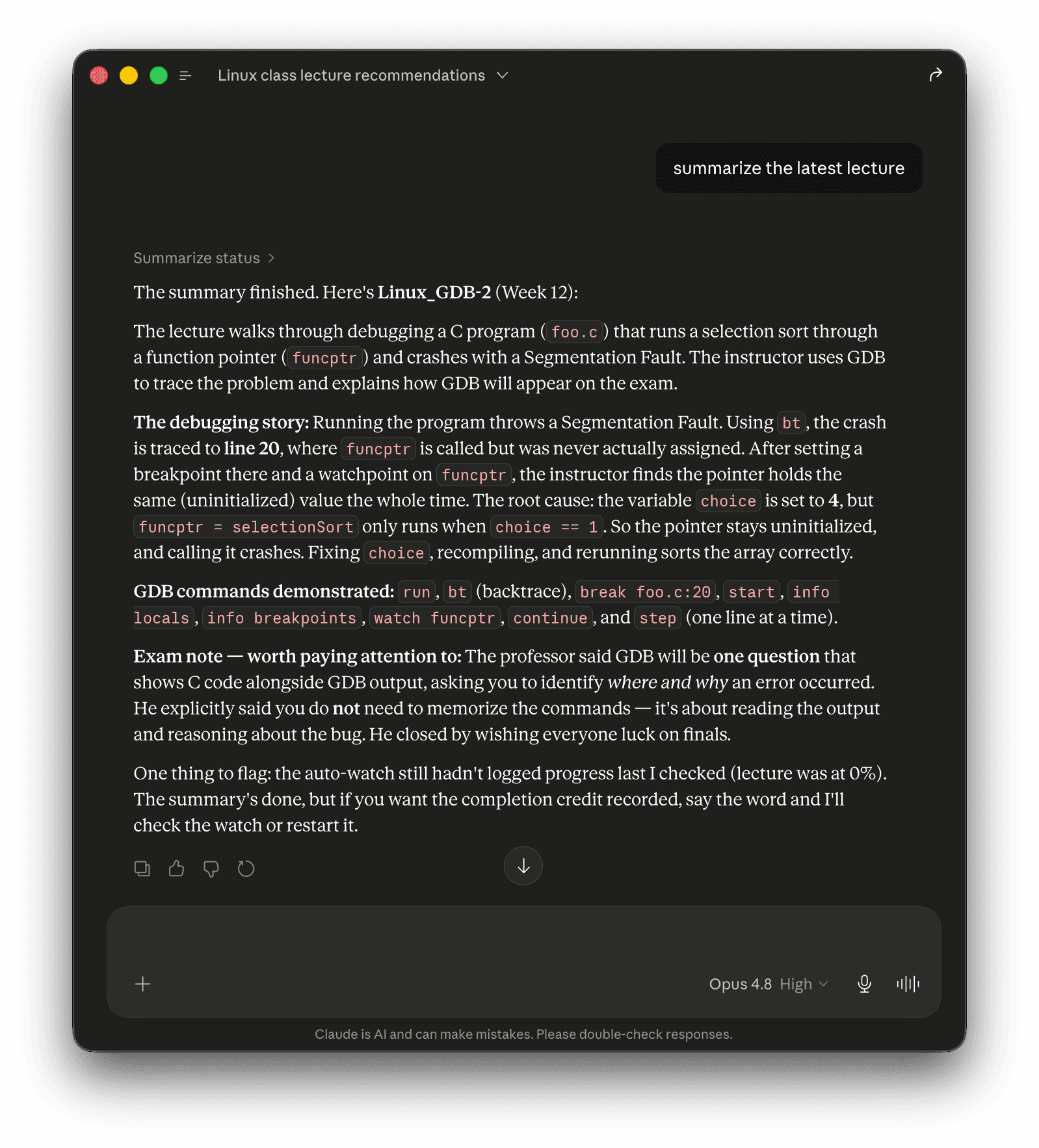
Lecture summarization
From an hour-long video to study-ready notes.
Download → Whisper transcription → Claude-written summary, optionally saved straight to your Obsidian vault. Walk into class already prepped.
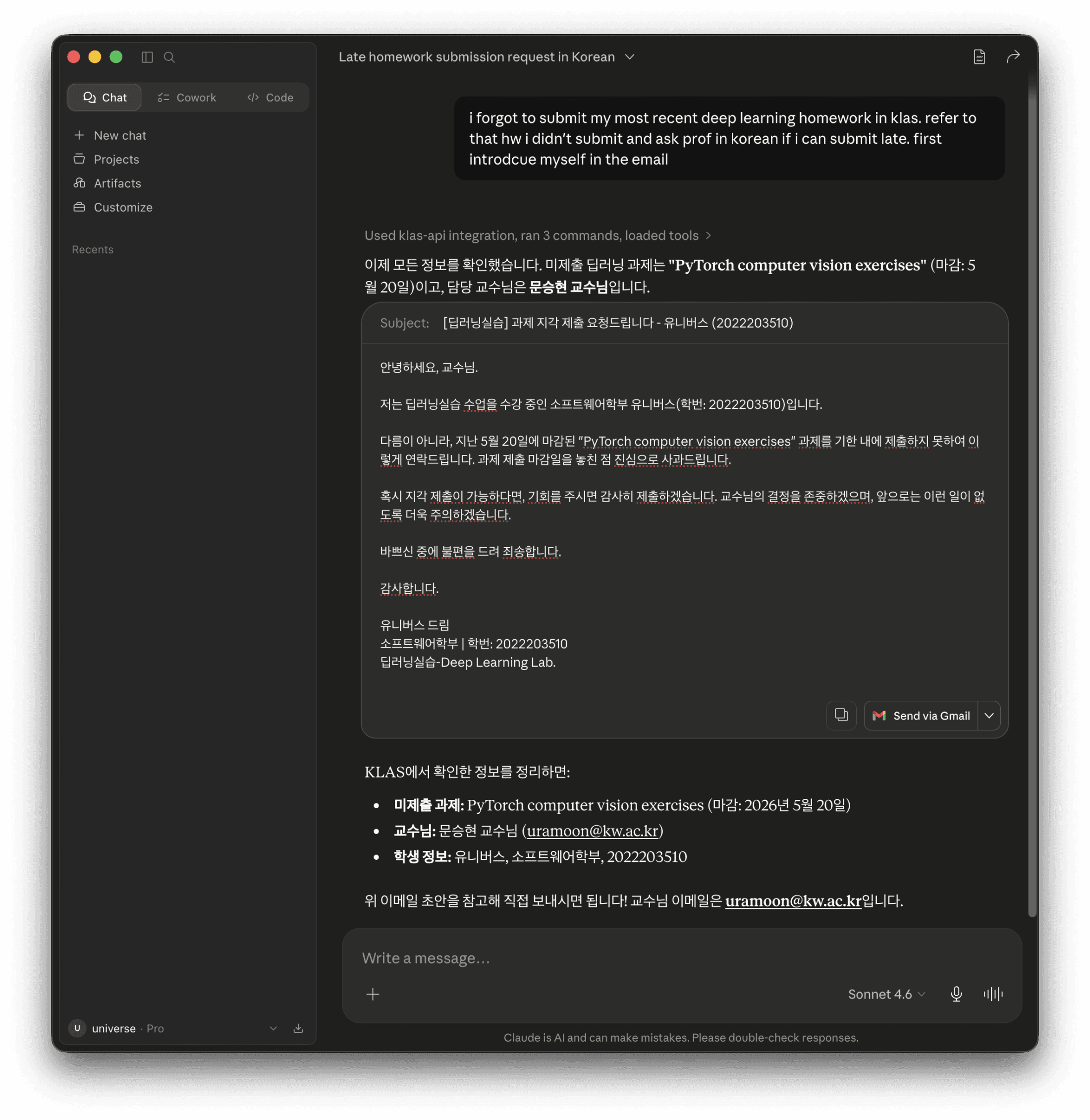
Korean email drafting
One English sentence in. A polite Korean email out.
Need to ask for a late-submission extension? Claude looks up the assignment, finds the right professor, and drafts a respectful Korean email ready to send.
How it works
Three steps. Under a minute.
One-time setup. After that, your AI just knows.
- 01
Add the connector
In Claude.ai, open Settings → Connectors → Add custom connector and paste
https://mcp.openklas.com/mcp. - 02
Log in once
Claude redirects you to OpenKLAS. Enter your KLAS credentials on the hosted page. They never leave the server, and Claude never sees them.
- 03
Just ask
From any new chat: "what's due this week?", "summarize my last linux lecture", "draft a polite Korean email to my professor about late submission". Claude handles the rest.